patrix
patreon
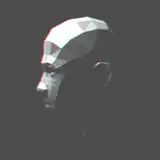
- added piglin (1)
- added piglin brute (1)
- added zombified piglin (1)
- added hoglin (1)
- added zoglin (1)
- various changes & fixes (1,2)
*(1)=mobs (2)=basic
Also added one random variant to piglin, zombified piglin, and hoglin.
Updated the rp test map and added a build.
I'll only start working on the new 1.19.3 blocks/items when the required optifine features and shaders are working correctly. Until then, any comment asking for 1.19.3 eta/plans/help, or reporting bugs while using the older packs on newer versions, will be deleted.
===============================
You can download the pack here (works with 1.19/1.19.1/1.19.2 versions):
https://www.patreon.com/posts/update-55-78099532
Click on the files inside the folders individually to download them
The "basic" pack need to be loaded at the bottom (just above default/mod resources), and the optional packs can be loaded on top in any order.
The pack works best with shaders that features LabPBR emission/SSS compatibilities.
Please check the included "features list" text file inside each optional pack to see detail descriptions of what they add/how to use them, or how to remove unwanted features in the "models" pack.
To see the custom mob models/animations your best bet would be installing optifine or optifabric, currently a lot of them are broken with other fabric-based alternative mods.
!! Don't bother trying the 256x versions !!
For Optifine users, make sure these settings are set correctly, or else the textures/models will get messed up:
For Fabric/Iris-based mods users, please link your discord account to patreon and join my patron discord server to check the up-to-date mod list pinned in the #help channel.
===============================
Since I've already made posts explaining various common problems with my pack and mediafire, any comments/questions on these subjects or things already explained in this post will likely be ignored or deleted.

With an RTX 4090 and a Core I9 (13th gen), it is well playable for me... Combined with a shader like SEUS PTGI or complementary (on high settings) however, my framerate often drops below the magical 60FPS mark in the overworld, so I prefer to use the 128x version instead
Thank you for your work
Thanks for explanation. I have a 'high end' pc and was wondering why I couldn't do 256 too, lol.
Thank you so much Patrix. Now I can end my futile search 😉😂
Amd gpu has a smaller max atlas size limit, making it unable to load all the textures in the 256x pack no matter how much vram or ram you have. And even if you have a nvidia gpu with enough vram and system ram that you can load the 256x version, the game would be so slow and stuttery that it's basically not worth using.
I know, it's only I love your work so much I'd like to enjoy it in a more hd way (lol). Thank you for answering and doing such great packs
"Don't bother trying the 256x versions" - every patreon post
Love the packs, but cannot load 256x basic one (but can the 128x one and the other 256x packs). I hate asking for help but I have followed the troubleshooting guides with no success. I run it with 58G RAM (I have 64) an RX 6800 XT (16G of VRAM) and an i7 12700KF. OptiFine HD U H9 with Forge (43.1.1, same as OptiFine version) and also witout Forge. Maybe if anyone could share his/her setup/config that works with 256x basic pack it would be helpful. Anyway, here's my last log, only loading the basic resourcepack, no mods, no other pack. https://mclo.gs/FG10y0L for anyone interested Thank you in advance!
it says not to do that option
If you're using seus ptgi shader, set the res to match the basic pack you're using, mobs and items don't really matter
Should I set the ''Texture Resolution'' setting of the SEUS PTGI HRR 3 according what resource pack resolution that I use, it's 16 by default and I'm using your res packs as mixed. I mean I'm using items and mobs as 128x but addons and basic is 64x. Is it matter which one I should set to? that 128 or 64? I'm sorry, if it's a bit confusing...
Downloading is too slow, take a few days????
How do i join the discord for iris settings?
Sounds like shader issue with shading materials that has sub surface scattering underground, could try asking the shader devs instead for help
i was running 256x at 13 fps lmao
Amazing I love your pack, I have been having a minor issue though with cobwebs appearing super bright and glowing in the dark, they look super similar to diamonds so when I'm mining i get confused. not complaining but was wondering if there is a fix to it that you or anyone knows about. Again awesome pack either way. Thank you.
Already did that, I even unlinked and linked it again to make sure, but still not joining.
https://support.patreon.com/hc/en-us/articles/212052266-How-do-I-connect-Discord-to-Patreon-Patron-
What is the discord invite link? I literally cannot find it anywhere.
@The_Gamer761 Let me quote the Description: !! Don't bother trying the 256x versions !!
The 256x basic file isnt working for me.
Merci :)
Happy New Year! Thanks
I searched so long for a great realistic texture pack and I finally found one.
Happy New Year! Thanks for updating every month.
i say it last year. I say it this year. This is the best resource pack ever ! Thanks for so much Work <3
Happy new year, waiting for the frog textures :)
Nice, im trying out the x256 Pack and it works :)
Your pack is so good brother! I've been using it for around 2 years now i believe. I like everything about it!! Keep up the good work :)
ah, yes. As if I didn't have enough reasons already to be terrified of the Nether with this resource pack lol