fishstickmate
patreon
Hello,
I want to do a quick update on what is going on and what my ideas for 0.04 are.
First i want to address 2 issues currently present in the game:
-The Android version APK being limited to 2GB, because the game has now surpassed 2GB and will only get bigger and bigger with future updates i need a way to fix this. So i did some testing and found out that at least for a good while i have a fix for this with limited downsides, The .webp images format allows for similar quality for around 1/4 the filesize, i was able to slim down the current game to about 500MB. I will not go the distance to make this fully functional for 0.03 because i believe the current workaround is good enough for this patch. After i release 0.04 for PC i will take a week to make the game compatible with .webp and then do the android release.
-Videos being unskippable sometimes, This issue is a real headscratcher for me because when i try to recreate this it seems to randomly work and then not work after some time. I am still testing some stuff to figure this one out. Anyone who has any idea about how to fix this, please tell me :P
Second is the content i am working on right now:
-Amber is the first of the 3 girls i have started to work on, i redid all of her current content with the new things i learned(wasn't too much work) and immediately made all scenes up to stage 11, I am now creating stuff outside of Bunny Bites to go with her to.(Comparison picture posted above)
-Luna is getting content outside of her house, you get to know what work she does and why her breasts are growing so fast. I am creating events and animations for her, some things are a bit experimental for me to create so i am taking my time to do it right.
-Another writer reached out to me, they are working on an amazing story for Bonnie, i received an outline and i can't wait to work on her visuals.
-I have written down some ideas for random events for different characters and i am slowly implementing them into the game.
-All characters have been modeled to go up to the sizes needed for 0.04 and beyond.
-Like i teased last time, there are new locations that will get added in future patches. I did my best to get some more potential environments so the writers will have more options to choose from.
And then some other stuff:
- I want to greatly expand the content relating to Bunny Bites, more stuff happening during work, going on dates with the Bunny Bites girls after work and more story happening here. Considering that there will be loads of times where you want to work to get money, i want to make sure that working at Bunny Bites is an enjoyable experience with plenty of options to further the gain of the girls working there and the customers.
- Because the next patch will release in October i would like to implement a small halloween event which would just bring some more flavour to the game. Maybe some sexy halloween outfits would be appropriate during such an event?
- Animations, i am not happy enough with the current stage of animations in the game, i am testing various things to try and up their quality. You will probably see loads of test animations here soon.
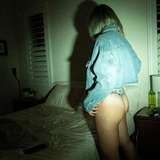
- Physics and Collision, i have done many tweak and iterations to make breasts and butt look better, but while i think the breasts are looking pretty good right now, butts are kinda hit or miss right now. For butts to look good i have to use certain poses, but i don't really want to be limited to only a couple poses, this is where collision and physics come in. I have seen others create some really good looking butts in VAM and i believe i could do the same if i get a hang of the glute collisions and glute physics. Just like the animations, this will need more testing. I am also working on boobs interacting with the environment, this is way harder than i thought it would be.(Test in the pictures above)
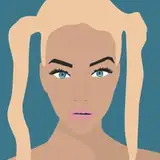
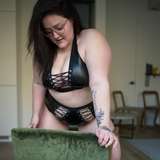
- Fat girls in bikinis? Sign me up! For some reason i give all the characters a bikini outfit too, i don't know how i want to implement this yet but at some point i would like to get some beach or pool scenes in the game with all the girls.(some bikini pictures that i rendered a while back above)
Thanks everyone for all the support, this game wouldn't be as ambitions if it weren't for this great community!


player name change will be possible in 0.04 and leanne will come back in 0.05 or 0.06 with more story
Don't forget to add option to change player name and what will happen with streaming girl? Can we see more story later?
Ok, seems like it's not quite as straightforward as I initially though, but if keeping the skip button always enabled still has issues, here are two ways that appear to work for playing movies without a need for a skip button (will end naturally after the video or on user click) For the Dance option, I changed the code to this: "Dance!": ##Player Chooses Dance leanne "Oooh, sounds fun. I know just the song for it." stop movie image leanne_typing = "/leanne/[leanne.stage]/typing.jpg" scene leanne_typing "After a few moments of typing away at her computer, Leanne turns on a royalty free song and begins to dance." ##Dance animation starts. image leannedance1 movie = Movie(play="/images/leanne/2/dance1.webm") show leannedance1 movie window hide pause image stream_girl_webcam = "/leanne/[leanne.stage]/webcam.jpg" The "stop movie" early on needs to be done since the looping idle anim will take priority if you don't call it to stop. Then when setting the new movie image, it'll need a different variable name for some reason, using "image movie =" again wasn't working, so I just added a new variable name. The other option seems like it's more native to Ren'py, but could run into issues on mobile? It's a little simpler and might be worth trying out: "Excercise!": ##Player Chooses Exercise leanne "Okay. Can’t say I’m too thrilled about doing this on a full tummy, but here I go." ##Exercise animation starts $ renpy.movie_cutscene("/images/leanne/2/excercise.webm", -1) "After completing several reps, Leanne sits back at her desk and wipes her face off with a towel." The documentation page is here for the command: https://www.renpy.org/doc/html/movie.html#fullscreen-movies The field after the filename is the "Delay" and putting it to -1 means it'll skip via user click, which is nice. This one seems nice because you don't have to stop the previous movie from playing. Anyway, hope that any of these solutions can help out!
For the video bug, in your custommoviescreen method (line 142 of custom_screens.rpy), you have a "sensitive (not renpy.get_screen("say"))" that sounds like it's disabling the button when the textbox comes up. Although I'm not sure why the textbox appears, commenting out that line should make it possible to interact with the skip button still. Alternatively, looking at how Hypnosis handles videos, it's very similar to how you handle the idle animation for Leanne. It sets the .webm file to your 'movie' variable, then does show movie window hide pause very similarly to how your custom screen works, but seems like it wouldn't require a skip button or timer. I'll mess around with substituting the code for Leanne's stream and let you know if it works.