Pawlygon
gumroad
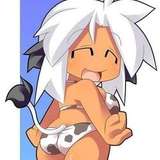
New details for your Yeenie avatar with our Shading Pack! Includes easy-to-use smart materials for Substance Painter, preset materials with shading applied as decals, and PSD files.
This shading pack contains 2 variations, Masculine and Feminine + Shiny beans ♥. The material comes with the same settings as the original.
We offer 3 different ways to apply the shading to your own texture, use your preferred method.
Simply import our Smart Material (.spsm) file into Substance Painter to instantly apply a comprehensive set of layers, including all necessary normals and shading, directly onto your project. It's a seamless way to integrate detailed shading into your own Substance painter project.
Easily apply your textures to our preset Unity materials, which come with pre-applied decals and normals. This setup allows you to add shading on top of your existing textures, making it the simplest and quickest way to apply.
For those working in Photoshop, our PSD files allow you to append shading and normals directly to your textures.

Thanks for purchasing our product you can find Downloads for the three shading/normal options on the side bar. You can import multiple options on the same Unity Project.

Simply import our Smart Material (.spsm) file into Substance Painter to instantly apply a comprehensive set of layers, including all necessary normals and shading, directly onto your project. It's a seamless way to integrate detailed shading into your own Substance painter project.
Easily apply your textures to our preset Unity materials, which come with pre-applied decals and normals. This setup allows you to add shading on top of your existing textures, making it the simplest and quickest way to apply.
For those working in Photoshop, our PSD files allow you to append shading directly to your textures.
If you have any questions or suggestions, please join our discord and contact us!

Unity Package with preset material with Normal and Decals applied.
Substance Painter Smart Material
Photoshop Files
![Yeenie Shading Pack [VRChat]](https://img10.leakoo.com/storage/1/ro/co/93d9f0-019e83d6-a30b-701f-beb5-88ed65052d27.png)